Add the course you want to your cart and complete checkout. You will receive an order confirmation by email.
2
Log in to your account
Open My Account and log in. If you checked out as a guest, use the download link in your order confirmation email.
3
Open the Downloads tab
In My Account, choose Downloads. Your purchased courses are listed there with a download button.
4
Download and open your course
Click the download button next to your course. Large courses can take a while, so keep the page open until it finishes. If you receive a compressed .zip file, extract it before opening.
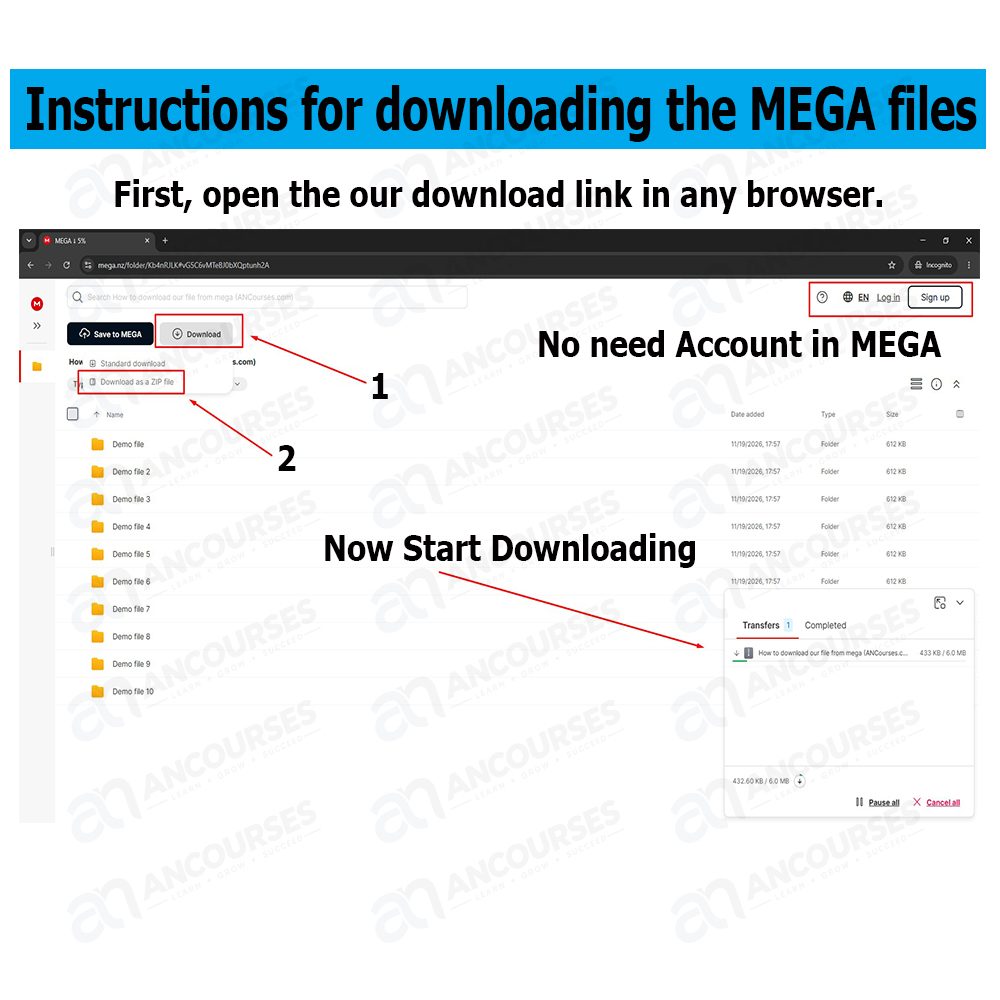
Instant access, secure, high-speed download via mega drive
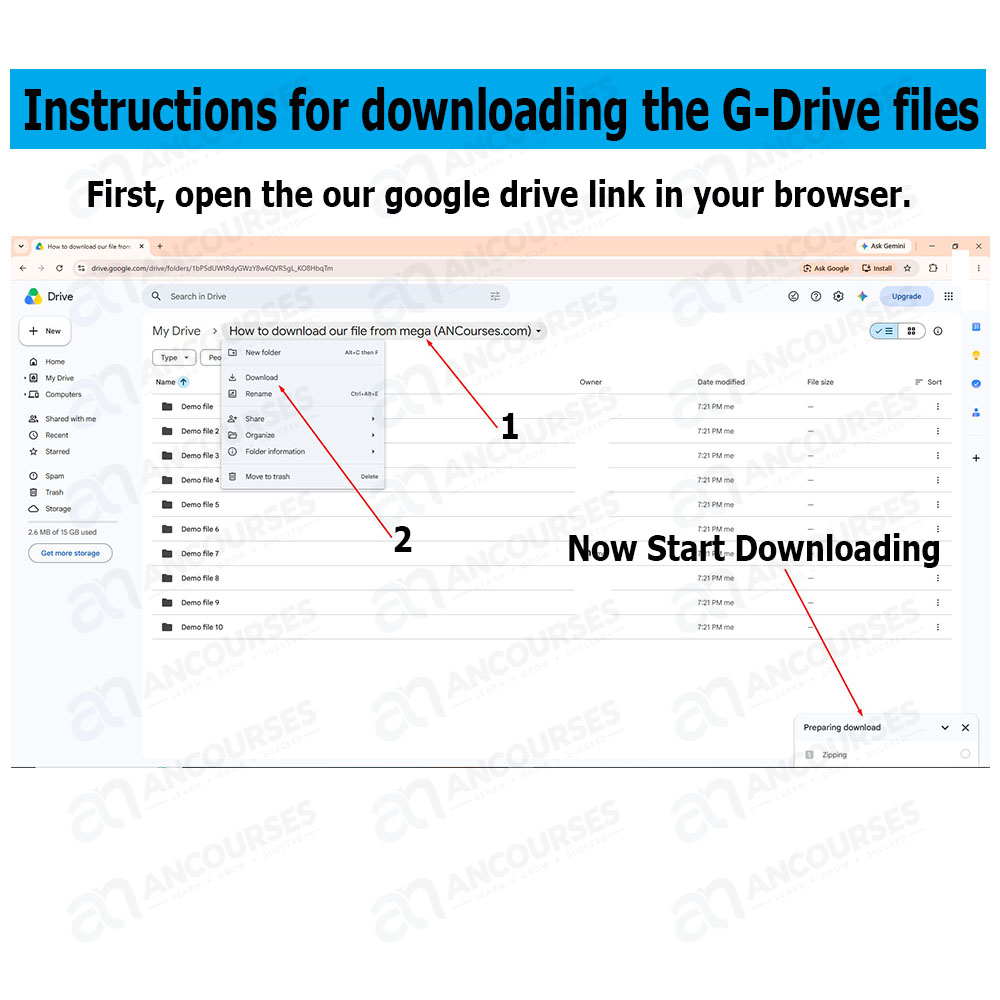
Instant access, secure, high-speed download via google drive
Having trouble?
Quick fixes for the most common download problems.
Check that you are logged in with the same email you used at checkout, and that your order is confirmed. Also look in your email spam folder for the order confirmation. If the course is still missing, contact us with your order number.
This is usually caused by an unstable connection or a very large file. Try again on a stronger connection and keep the page open until the download completes.
If the file is compressed (.zip), extract it first with an unzip tool. If it still does not open, contact us and tell us the course name and the file type you received.
Courses become available after your payment is confirmed. Wait a few minutes and refresh your Downloads page. If it does not change, contact us with your order number.